
The Joint Admission Matriculation Board, JAMB Notice on Implementation of the “Profiled Email” service to substitute Lost SIM.

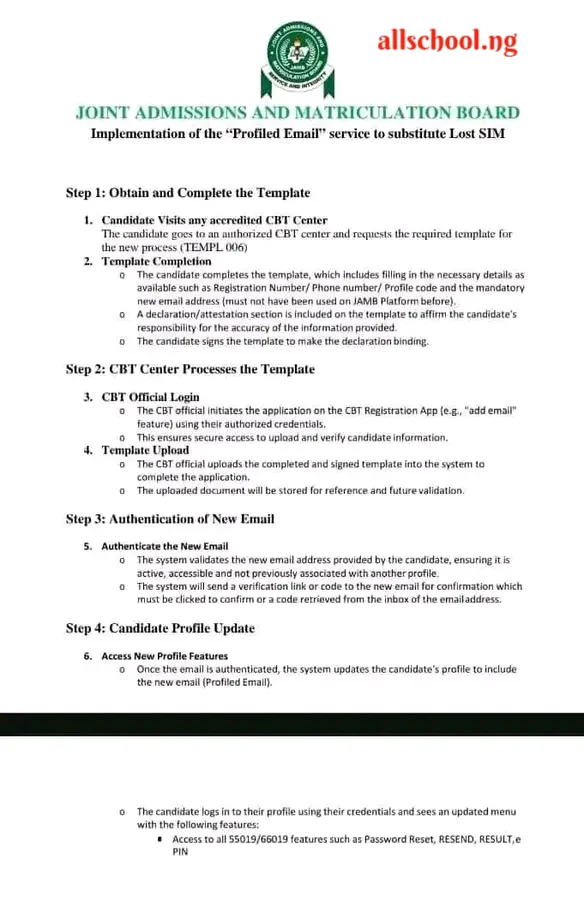
The Joint Admission Matriculation Board has introduced profile email service in replace of lost registered SIM cards by candidates. This service allows candidates to add a new email address to their profile, which can be used to access various features and services on the platform.
Page Contents
Step 1: Obtain and Complete the Template
- Candidate Visits an accredited CBT Center
- The candidate goes to an authorized CBT center and requests the required template for the new process (TEMPL/006).
- Template Completion
- The candidate completes the template, which includes filling in the necessary details as available such as Registration Number/Phone number/Profile code and the mandatory new email address (must not have been used on JAMB Platform before).
- A declaration/attestation section is included on the template to affirm the candidate’s responsibility for the accuracy of the information provided.
- The candidate signs the template to make the declaration binding.
Step 2: CBT Center Processes the Template
- CBT Official Initiates the Application on the CBT Registration App e.g. “add email” feature using their authorized credentials.
- This ensures secure access to upload and verify candidate information.
- Template Upload
- The CBT official uploads the completed and signed template into the system to complete the application.
- The uploaded document will be stored for reference and future validation.
Step 3: Authentication of New Email
- Authentication the New Email
- The system validates the new email address provided by the candidate, ensuring it is active, accessible and not previously associated with another profile.
- The system will send a verification link or code to the new email for confirmation which must be clicked to confirm or a code retrieved from the inbox of the email address.
Step 4: Candidate Profile Update
- Access New Profile Features
- Once the email is authenticated, the system updates the candidate’s profile to include the new email (Profiled Email).
- The candidate logs into their profile using their credentials and sees an update with the following features:
- Access to all SS013/6019 features such as Password Reset, RESEND, RESULT, e PIN
Recommended Articles:
- Check Out Trending Schools Gist
- List Of Schools Whose Post UTME Forms are on Sale
- Top 5 Must-Have for Freshers in Any Nigerian Higher Institution
- 15 Types of Roommates You Will Find in School
- 5 Reasons Most Students Are Not Offered Admission Despite High Post-utme Score
- Jamb Alternatives: 5 Best Ways To Gain Admission Into A University Without JAMB
- Ten Things Every Jambite Must Know Before Entering The University
- 10 Secrets to Making Straight A’s in Varsity of Poly
- Mistakes Students should never Make in Tertiary Institutions
ALLSCHOOL TEAM
Stories You Shouldn't Have Missed:
- Two Undergraduate Student’s Of UNIZIK Found In Dead In Hostel
- Nigerian Scholar Overcomes Loss, Earns First-Class Degree and Master’s in Mathematics from U.S. University
- Student Who Committed Suicide Over Repeated Failures Should Have Reported Issues — Vice Chancellor
- Corper Who was Posted to Marketing Company Asks for Rejection After Being Given N350M Target
- FG Converts University of Medical Sciences Teaching Hospital to Federal University Teaching Hospital Akure
- Nigerian Lady Wins Prestigious Erasmus Mundus Scholarship to Study in Four European Universities
- 17-Year-Old Nigerian Girl Offered Scholarships to Study at Several World Prestigious Universities
Join Our 500,000+ Community:
Thank you so much for reading. We will appreciate it if you share this with your loved ones.